Work with Copilot
Use Copilot to turn a real operating need into a focused draft or diagnose a result that did not meet the standard. Treat its suggestions as proposed changes: the operator still decides what to apply, test, save, and publish.
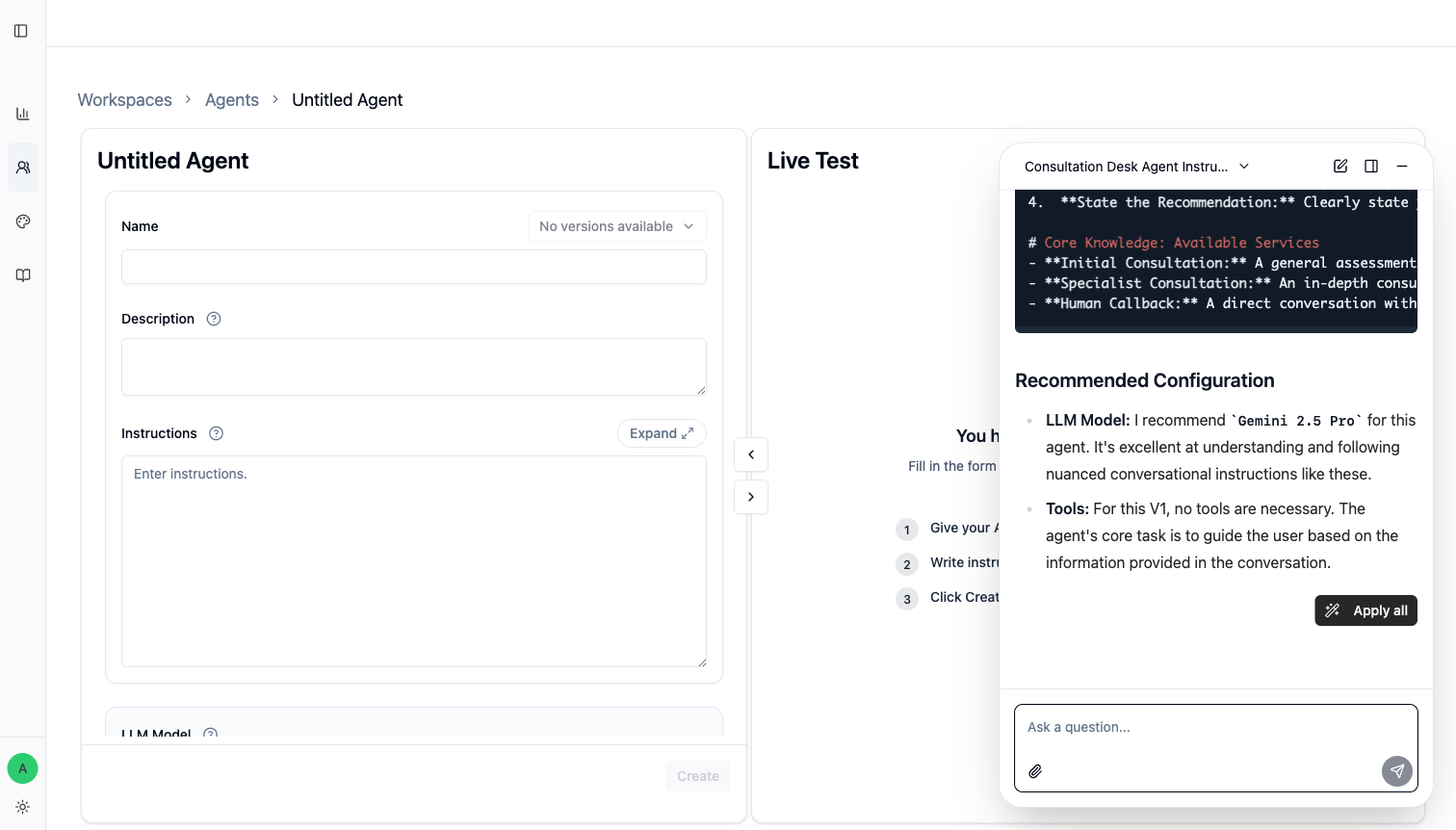
Start from the decision you need to make
Give Copilot the situation, acceptable result, and boundary. For example:
This Agent should help a visitor choose the right consultation, but it must not make a final legal judgment. Draft the smallest instruction change that asks for missing context, recommends one next step, and hands off when expert judgment is required.
That gives Copilot a work outcome to design for. Make this better does not.
What Copilot can use
On supported pages, Copilot receives a snapshot of fields and values available on the current page. It can also use files attached to that Copilot conversation and messages already sent in the selected Copilot history.
This is page context, not automatic access to every source in the organization. Name the Agent, case, source, or field when ambiguity would change the answer.
Apply suggestions without giving up review
An applicable response may provide Apply for one field, Apply all for a related set, or a replacement confirmation when a target already has content.
Applying a suggestion changes the editable field on the current page. It does not save an Agent version, run tests, publish an Agent, or send a customer reply.
- Check that the proposal preserves the approved scope.
- Apply one field, or use
Apply allonly for one coherent change. - Review every changed field.
- Use
Live Testfor the real situation and nearby boundaries. - Save with
Apply, then run affected Test Suite cases before publishing.
If the Apply action is unavailable, the current page or target field does not expose a supported action. Copy only the useful part and make the change manually.
Keep separate decisions in separate conversations
Open a previous Copilot conversation when continuing the same diagnosis. Start a new one when the job, Agent, or decision changes, so old assumptions do not silently shape the next answer.
Sent conversations appear in Copilot history. Unsent draft text and pending attachments are not durable across a page reload, logout, or app restart; send or save important material before leaving.
Useful operator requests
Compare this failed case with the current Instructions. Which rule is missing or ambiguous?Rewrite this When to Use so the tool triggers only for approved refund-policy questions.Find the smallest change that fixes this pattern without changing the Agent's broader scope.What should I test before publishing this change?
Boundaries
- Do not paste passwords, API secrets, payment credentials, or unnecessary personal data.
- Verify product facts against the current UI, source, or test result.
- Diagnose whether a failure belongs to the Standard, source, tool, instruction, or scope before applying a broad rewrite.
- A Copilot suggestion is not evidence that the new version is safer. The rerun result is the evidence.