Request Form
Use Request Form when the conversation has reached a point where structured intake is more efficient than collecting the same details one message at a time.
For the Consultation Desk example, the form is not the opening move. The agent first helps the user understand the right next step. Once the user agrees to a human callback, the form collects contact details and follow-up preferences cleanly.
When to Add a Form
Use it when:
- The next step requires the same fields every time
- Missing one field would block follow-up work
- A structured handoff is better than free-text chat
Do not use it when:
- Two short clarifying questions in chat would be faster
- The user is still exploring and not ready to commit to a next step
- The intake fields are unclear because the workflow itself is not settled yet
Step 1: Decide the Exact Trigger Moment
For this example, the right moment is:
- The user agrees they want a callback
- The agent is done clarifying the overall need
- The operator now wants structured contact details
That is much better than opening the form at the start of the conversation.
Step 2: Add Request Form and Set the Trigger
In Editor, open Tools, click Add Tool, and choose Request Form.
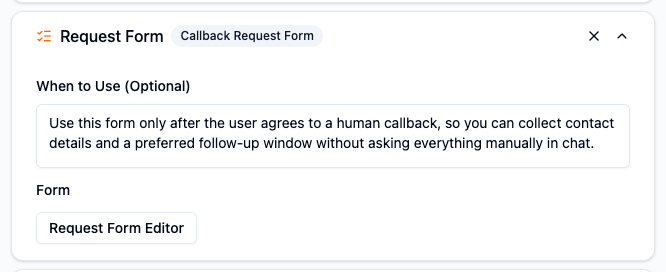
The expanded tool card is where you should first teach the agent when this form belongs in the workflow. For the Consultation Desk example, the form should appear only after the user agrees to a callback, not at the opening of the conversation.
Step 3: Build the Smallest Useful Form
Open Request Form Editor and create only the fields needed for the next step.
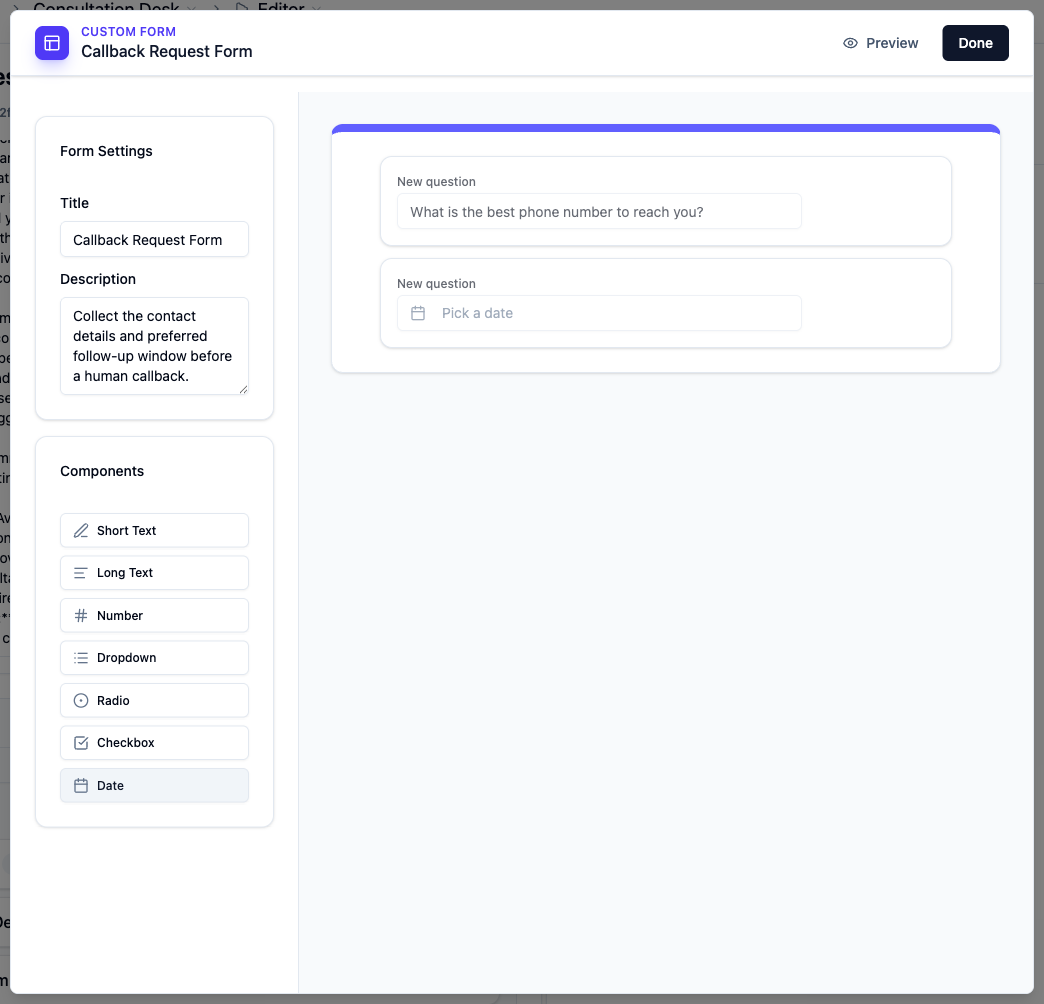
For a callback handoff, a practical first version is:
- Best phone number
- Preferred callback date or window
- Optional notes
Keep the form short. A long form usually means the operator is trying to do too much before the conversation is ready.
Collect a file when the next step needs evidence
Add a File upload field in the form editor when the user needs to provide a document, image, audio recording, or video. Each file field accepts one supported file, up to 100 MB. Use the file picker's supported formats; this limit applies to form answers, not chat or human-reply attachments.
The user must submit the form after selecting the file. Collecting a file does not automatically add its contents to Knowledge Base or make it a chat attachment for the Agent to read. Operators can download submitted files from Form Submissions.
Step 4: Write a Stage-Aware When to Use
Your instruction should explain that the form belongs later in the flow, not at the beginning.
Example:
Use this form only after the user agrees to a human callback, so you can collect contact details and a preferred follow-up window without asking everything manually in chat.
Step 5: Test Both Paths
Test the happy path:
Yes, a callback would be best.
Also test the refusal path:
I do not want to fill a form. Can we do this in chat?
The operator should make sure the agent can still continue gracefully if the user does not want to use the form.
Operator Tips
- Start with the fewest fields that make the handoff workable.
- Order fields in the same sequence a human operator would naturally ask them.
- Use forms after a decision is made, not to replace the decision-making conversation.
- Revisit the field list when stakeholders report that follow-up work still needs extra manual clarification.
Common Mistakes
Opening the form too early
This makes the experience feel transactional before the user even understands the recommendation.
Turning the form into a full application workflow
Request Form should support the next step, not replace the entire service process.
Asking for fields the team does not actually use
Every field should exist for a clear operational reason.