LLM Model Selection
Model choice matters, but it usually matters after the workflow is clear. For most operators, the right starting move is to keep the default model, test the agent, and switch only when the failures point to a specific problem.
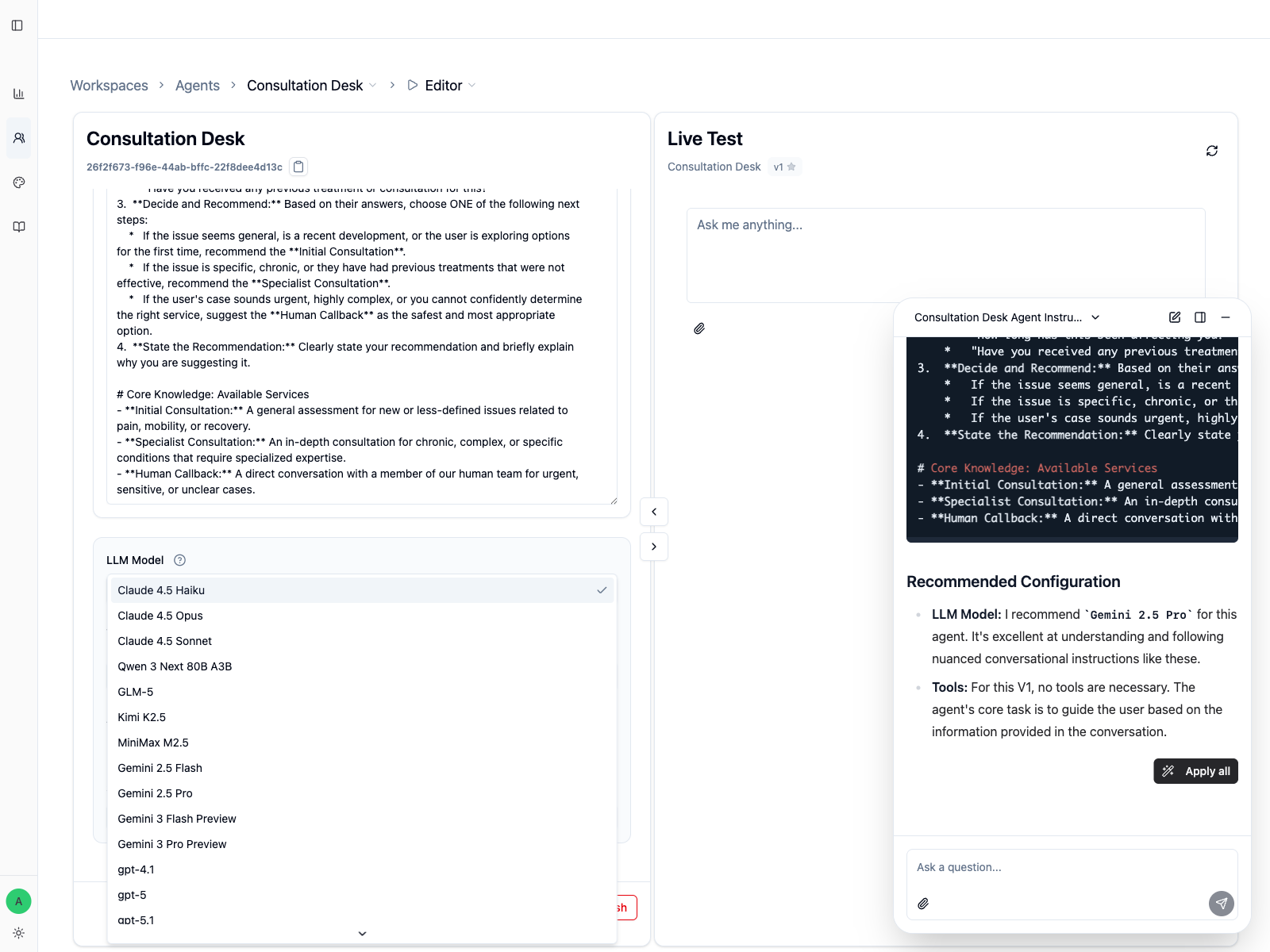
Start with the default unless testing proves otherwise
For Consultation Desk, the first version should usually stay on the workspace's default or balanced model. That keeps the early work focused on behavior:
- Is the agent asking clarifying questions?
- Is it choosing only one next step?
- Is it respecting the boundaries in the instructions?
If those basics are wrong, changing the model is often the second fix, not the first one.
Change models for a reason you can name
Switch models when repeated testing shows one of these problems:
| Observed problem | What to try |
|---|---|
| The agent is too slow for a simple front-door conversation | Try a faster model |
| The agent misses nuance or makes weak routing decisions | Try a stronger reasoning model |
| The agent sounds unnatural in the target language | Try a model with better language quality for that use case |
Available models depend on your workspace, so your dropdown may not match this screenshot exactly.
Compare models safely
When you compare models, keep the test controlled:
- Use the same 3 to 5 prompts each time.
- Change only the model, not the instructions.
- Record what improved and what got worse.
- Save the result with
Applyand a clear note.
That is the only way to tell whether the model actually solved the problem.
A practical rule for Consultation Desk
For a routing agent like Consultation Desk, switch models only if you see one of these concrete failures:
- it cannot follow the clarification flow consistently
- it gives weak recommendations for ambiguous cases
- it struggles to stay concise and professional in the target language
If the agent already makes the right decision with the default model, do not switch just because a stronger model exists.
When a model becomes unavailable
If a previously used model no longer appears in the dropdown, choose the closest available replacement and rerun your core tests before publishing again.
Change model settings only when the test calls for it
Open Advanced → Model Settings to override the selected model's defaults. Blank fields continue to use that model's default values.
| Setting | Supported value | Use it carefully when |
|---|---|---|
Temperature |
0 to 2 |
You need to compare more consistent output with more varied output. |
Top P |
0.01 to 1 |
You need another way to control sampling. Adjust either Temperature or Top P first, not both together. |
Max Tokens |
Integer 1 or higher |
The response needs a deliberate output cap. A value that is too low can cut off a useful answer. |
Thinking Level |
Model-supported level or model default | Repeated cases show that the task needs a different reasoning effort. Higher is not automatically better for speed, cost, or quality. |
Change one setting, rerun the same representative cases, and keep the override only when the result improves the behavior you care about without creating a regression. Use Reset to defaults to remove the selected model's overrides.
Audio attachments need an audio-capable model
If the agent uses audio attachments, choose a model that supports audio input.
Codeer can accept audio files through supported upload flows, but the selected LLM model still determines whether the agent can understand that audio. If the model does not support audio input, the agent cannot be saved with audio attachments until you switch to an audio-capable model or remove those attachments.
Use this rule:
- Use an audio-capable model when the agent should understand uploaded voice notes, recordings, or other audio files.
- Keep a text-only model when the agent only needs documents, images, or normal text messages.
- Use Text to Speech separately when the agent needs to generate spoken audio from its own text answer.
In Live Test and supported chat clients, an audio-capable model also enables Record voice message. The browser records the user's microphone input and sends it as an audio attachment; it does not change the Agent's reply into speech. If the action is disabled, verify the current model, browser recording support, and microphone permission.
Treat Copilot's model suggestion as a starting point
When you build a first version, Copilot may recommend a model based on whether the agent needs tools, stronger reasoning, faster replies, or better tone. That recommendation is useful, but it is still a starting hypothesis. Validate it with the same test prompts before you publish.
Next Steps
- Version Management to save model changes cleanly
- Agent Editor to keep testing in
Live Test