Agent Creation
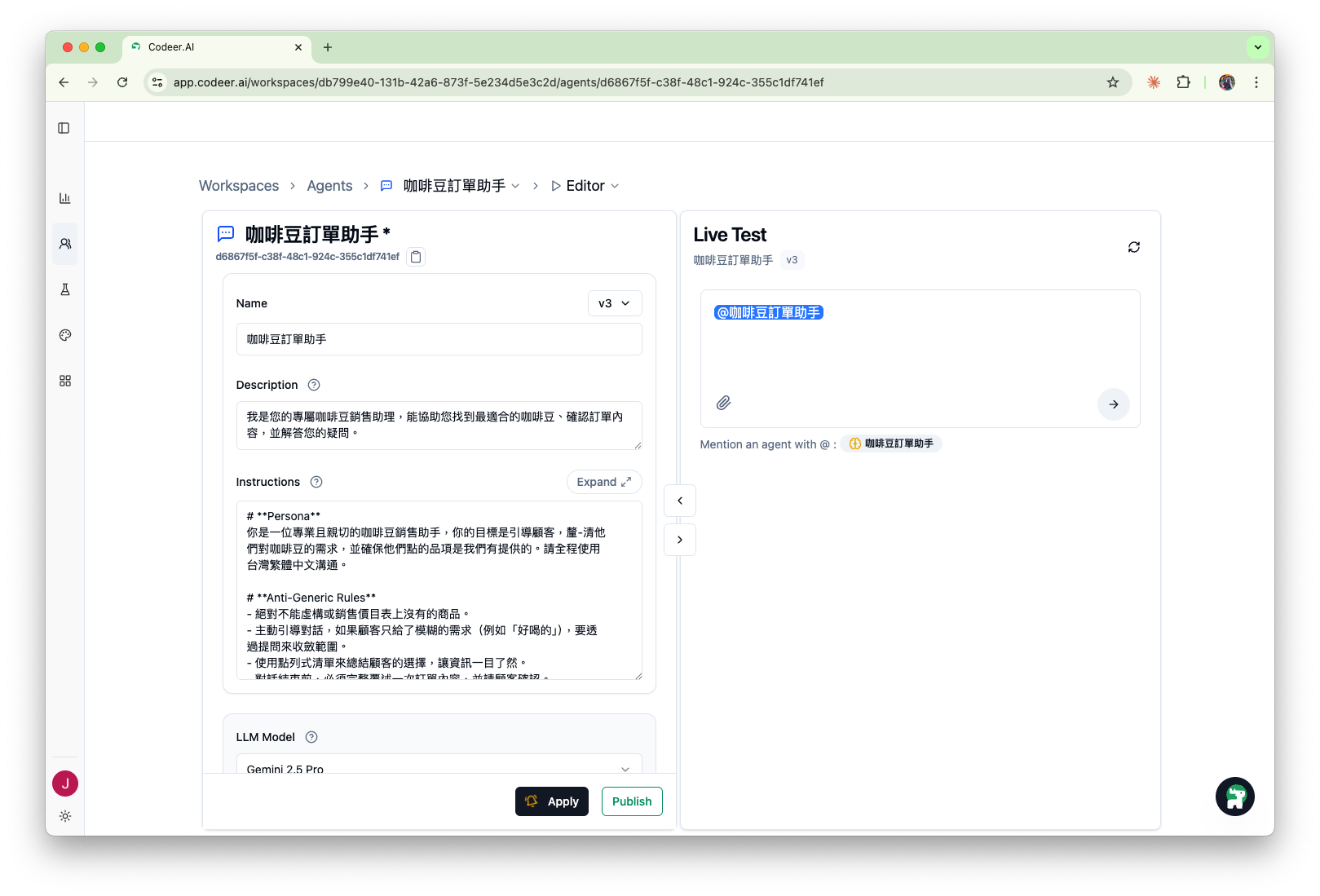
This section helps you quickly turn ideas into conversational Agents.
With Copilot's assistance, you can describe your requirements in natural language and create a testable Agent within minutes—no prompt engineering skills or coding required.
Core Philosophy
Copilot provides suggestions, but the final configuration is up to you. Because you know your customers, your business, and how you want your Agent to behave best.
Creating an Agent is a rapid iteration cycle:
graph LR
    A[Describe Requirements] --> B[Copilot Generates Suggestions]
    B --> C[Apply with One Click]
    C --> D[Test in Real-time]
    D --> E[Refine and Optimize]
    E --> B
What You'll Learn
- How to use the unified Agent Editor interface
- How to quickly generate Instructions with Copilot
- Configure Agent models, tools, and attachments
- Complete configuration and testing in the same interface
Chapter Navigation
| Chapter | Content |
|---|---|
| Agent Editor | Complete guide to the unified interface |
| Instruction Configuration | Collaborate with Copilot to write Agent instructions |
| Model Selection | Choose the right LLM model |
| Version Management | Track and compare Agent changes |
| Tool Configuration | Knowledge Base, Web Search, Call Agent, etc. |
| Attachments | Configure fixed reference materials |