LLM Model Selection
The LLM (Large Language Model) is the Agent's "brain". Choosing different models affects the Agent's response quality, speed, and style.
Where to Configure the Model
In the advanced settings area of the left panel in Agent Editor, find the "LLM Model" dropdown menu.
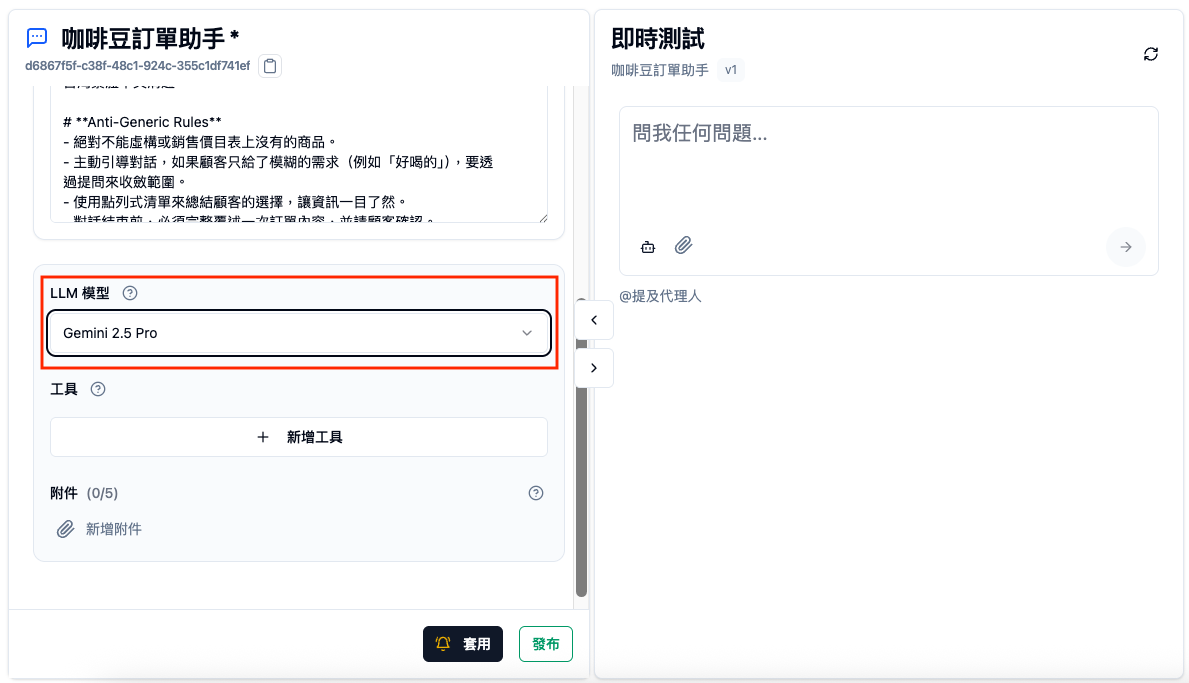
How to Choose a Model
Different models have different characteristics. There's no "best" model, only the "most suitable" model.
Considerations
| Factor | Description |
|---|---|
| Response Quality | Complex tasks need more powerful models |
| Response Speed | Real-time conversation scenarios need faster models |
| Cost | More powerful models typically cost more |
| Language Support | Some models have better Chinese language support |
Recommended Strategy
- Start with Default Model: The system preselects a balanced model
- Adjust After Testing: Test several conversation rounds in the Editor
- Choose by Scenario: Use fast models for simple FAQs, powerful models for complex analysis
Try Several Versions
The same Instructions with different models may have different effects. It's recommended to create several versions, compare response quality, then decide.
Common Model Comparison
Below is a general model type comparison (actual available models depend on your organization's configuration):
| Type | Features | Suitable Scenarios |
|---|---|---|
| Lightweight Models | Fast, low cost | Simple FAQs, real-time customer service |
| Standard Models | Balanced quality and speed | General conversation, knowledge Q&A |
| Advanced Models | Strong reasoning, high quality | Complex analysis, long-form writing |
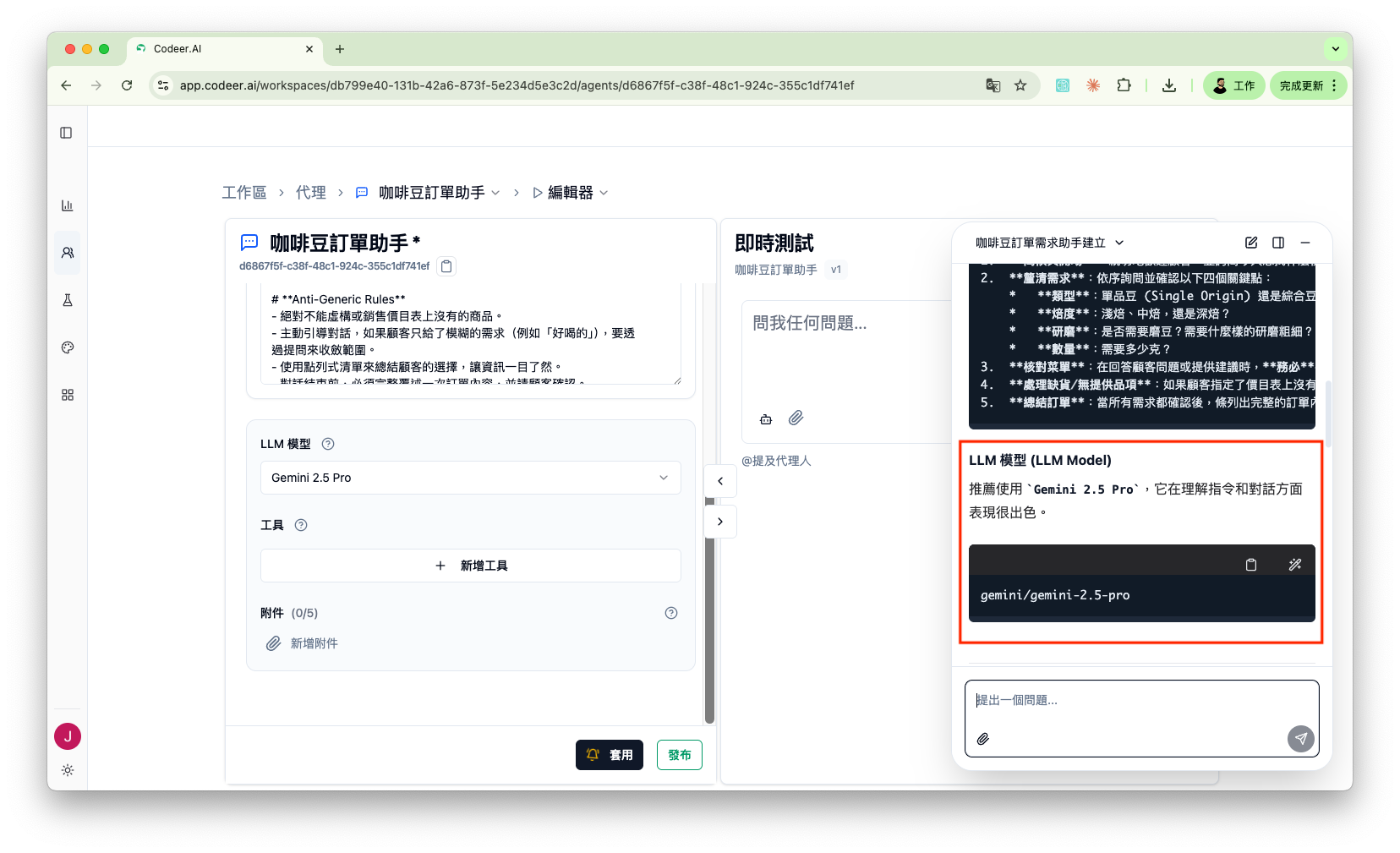
Let Copilot Suggest Models
Unsure which model to choose? Ask Copilot:
My Agent needs to answer technical support questions and often needs to
analyze error messages. Which model is more suitable?
Copilot will suggest suitable models based on your description and can apply them with one click.
(Screenshot pending) Copilot will display model suggestions and provide one-click application
Model Not Available Warning
If the model used by an Agent you loaded is no longer available, the system will display a warning.
At this point, you need to select a new model and retest.
FAQ
Will Agent behavior change after switching models?
It might. Different models have slightly different ways of understanding and executing Instructions. After switching models, it's recommended to retest main conversation scenarios.
Can I use different models for different scenarios?
Currently, one Agent can only be configured with one model. If you need different models to handle different tasks, you can create multiple Agents and connect them through the Call Agent tool.
Why do model options increase or decrease?
Available models are currently determined by Codeer officially. If you need a specific model, please contact us.
Next Steps
- Configure Tools - Expand Agent capabilities
- Attachment Configuration - Add reference materials
- Version Management - Track model changes